How to Convert DWG Files to Interactive 3D Models Online
Learn how to transform your AutoCAD DWG architectural plans into stunning interactive 3D worlds instantly. No software installation needed — works directly in your browser.
Transform Your Architectural Plans Into Immersive 3D Experiences
Architects, landscape designers, and urban planners have long relied on 2D drawings to communicate their vision. But flat plans often fail to convey the true spatial experience of a designed space. That's where 3D Builder comes in — our AI-powered platform converts your DWG/DXF files into fully interactive 3D worlds in seconds.
Why Convert DWG to 3D?
Traditional 2D plans require significant imagination from clients. With a 3D walkthrough, your clients can:
- Walk through the space using first-person controls
- Take screenshots and share specific viewpoints
- Record video walkthroughs to present to stakeholders
- Understand scale and proportion intuitively
How It Works
- Upload your DWG file — Our system reads AutoCAD DWG and DXF formats
- AI analyzes walls, rooms, and openings — Doors, windows, and boundaries are detected automatically
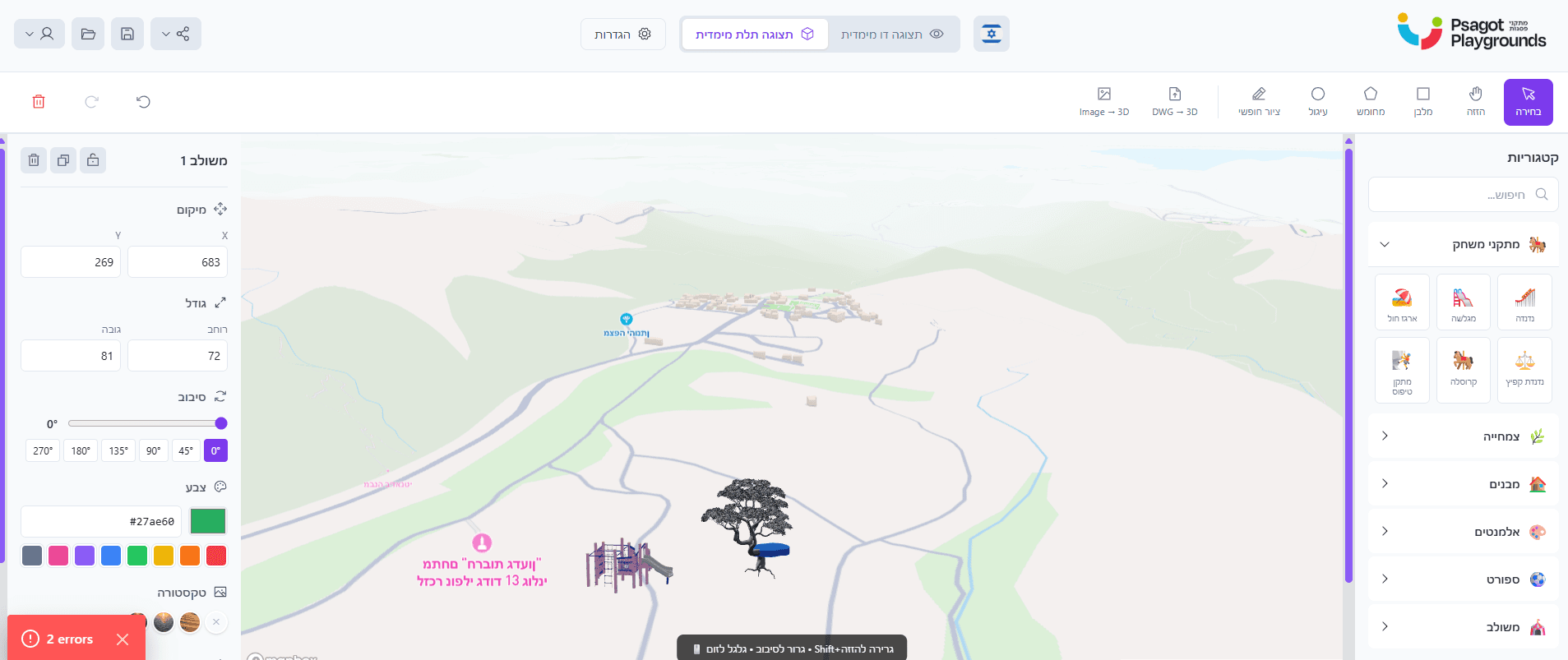
- Edit in our drag-and-drop builder — Add furniture, vegetation, textures, and materials
- Share a 3D preview link — Your clients explore the space from any device
Supported Features
Our converter supports complex DWG files including multi-layer drawings, polyline walls, arc segments, and nested blocks. The AI pipeline handles building detection, room segmentation, and furniture placement suggestions.
Whether you're designing a landscape project, a playground, or an urban development, our tool adapts to your workflow.
Try It Free Today
Stop sending flat PDFs to clients. Give them an experience they'll remember.